
How To Create Vibrant Lighting Effects From Scratch 66
By jeya. Posted: February 10, 2010 at 1:43 am in Photoshop, Tutorials
Incorporating lighting effects is a great way to bring energy and flow into your designs. In this tutorial, I will show you how to create some amazing lighting effects from scratch using a free open source program and then adding final touches to the image inside of Photoshop.

Required Resources

Download the Resources (Includes the final PSD)

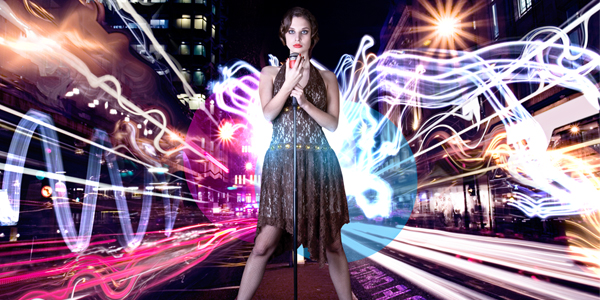
Final Image Preview

Take a look at the design we’ll be creating.

Step 1

To start off this tutorial you will be creating the main glowing object using a program called Apophysis. You can download it for free here

Note: If you would like to skip the creation process using Apophysis, I have included the rendered output in the resource files. Skip to Step 8 where we open the rendered file in Photoshop.

After you have downloaded and installed Apophysis. Open the application from the Windows Start menu.

Step 2

In the left hand panel of Apophysis, double click on different flame titles until you find one that you like. Try to find ones that don't have a lot of noise and could look like a great glow effect. These are all random batches. Don't worry if it doesn't look perfect as you will be rendering the flame and bringing it into Photoshop later.

Step 3

Hopefully you found a good flame to use. The flame I choose looks like this:

Tip #1: You can mutate flames.
If you would like to keep the same look yet get a different result go to View > Mutation and click on the different squares.

Tip #2: Try Zooming in and out

If you find a look that you like but it is out of frame or you would like to zoom in. You can go to Flame > Adjust and edit the camera Zoom.

Step 4

Once you have perfected your flame, go to Flame > Render to Disk.
Width 3000
Height: 2000
Quality: 4000
Filter Radius: 0.4
Oversample: 2

Finally click on Render. Rending takes some time, so just sit back and relax.

Step 5

Now that the render is finished, open your rendered JPEG into Photoshop. If you would like to use the file I rendered out, open Render.jpg in the resource files for this tutorial that you downloaded.

Duplicate the Background Layer.

With the Duplicated Background layer selected, go to Filter > Blur > Gaussian Blur. Change the Radius to 4 pixels.

Set the Blending Mode for this duplicated layer to Linear Dodge (Add)

If you feel like you want some more glow, then duplicate it one more time. You can also play with the Levels to get a crisper look.

Step 6

We are going to create a brush out of this render. Choose the Rectangle Marquee Selection tool and in the Options Bar change the Style to Fixed Size. Change the Width and the Height to 2500 px

Step 7

Click in an area that you would like to make a brush with. Since we changed the options to make the selection exactly 2500 x 2500 it will constrain to those exact dimensions.

Step 8

Go to Image > Adjustments > Invert

Step 9

Now that we have a white background we can create a brush. Go to Edit > Define Brush Preset

Create a new Photoshop Document. I created it at 1744 x 1282 with the resolution set at 300 ppi.

Step 10

Make your background layer is Black and Create a New Layer. Choose the Brush tool and select the new brush that we just created. Click in your document to lay down the pixels. Name this Layer Glow Brush

Double Click on the Glow Brush layer to bring up the Layer Style window. Check Gradient Overlay and edit the gradient to be the Violet, Orange Gradient.

Step 11

Go back to your original JPG that you rendered out of Apophysis and Copy and Paste it into this new PSD. Name this new layer Original.

Change the Layer Blending Mode of this layer to Linear Dodge (Add). You will have to use the Move tool to properly align this Original layer with your Glowing Brush layer.

Step 12

Create a New Layer above the Original Layer and name it Colorize.

With the Gradient tool, select the Violet, Orange gradient again and choose Radial Gradient. Make a gradient that resembles something like this:

Step 13

Now change the layers blending mode of the Colorize layer to Hue. You should end up with this:

Step 14

Now we are going to add some text into the design. Add the text DESIGN IS BILLIANT. For the font I used Helvetica Neue - Ultra Light Extended. For the color I used - #ffca53

Make sure this text layer is right above the background but below all of the other layers.

Step 15

Open the Bokeh image from the resource files into Photoshop. Copy and Paste it into your PSD and place the layer above your text. Change the layer blending mode to Screen and the Opacity to 28%

You will want to Scale the Bokeh layer down to fit nicley with your text.

Step 16

Open the Particles - 9.jpg file and Copy and Paste it into your PSD. Scale it down and place it just below the Original Layer. Change the Layer Blending mode to Linear Dodge (Add). Name this layer Particles Pink

Duplicate the Particles Pink layer and change the layer blending mode to Overlay.

Step 17

Create a New Layer just below your particles pink layers. Using the Elliptical Marquee Selection Tool, create some solid white circles in your document.

Step 18

Now change the Layer Blending mode to Soft Light. Name this layer Circles - Soft Light

Step 19

Finally, I decided to crop the image since the right hand side was not too appealing. You could easily add some elements over on the right side and bring it all together.

So that's it. Have fun with your new tool!

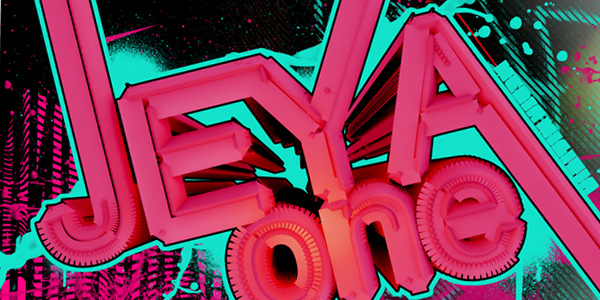
How To Create Amazing 3D Type 18

By jeya. Posted: November 13, 2009 at 2:44 am in 3ds Max, Photoshop, Tutorials
If you love typography like I do, you are always looking for a new way to funk out your type - just to make it look a little different than the rest. 3ds Max has some amazing and creative ways to make your type look absolutely beautiful! In this tutorial I will show you how to extrude text, tweak it out, manipulate the mesh, and then exporting it out to Photoshop to add in some extra elements. Hope you enjoy it!

About

Time: 1-2 Hours
Software Required: Photoshop CS3+, 3ds Max 2009 + (Don't have 3ds Max? Download the free 30-day Trial)

Required Resources

Download the Media Militia Resources

Final Image Preview

Take a look at the design we’ll be creating. The final PSD will be available for download at the end of the tutorial.

Detail

Step 1:

First off, we need to create the text.

Open up 3ds Max. In the Create tab, click on the Shapes button. Click on the Text object type button. Then type in JEYA in text area in capital letters. We will use Arial with the font size at 100.

Step 2:

In the Front view, click, drag and align the text to the X axis as shown below.
Tip: You can use the Select and Move tool to better align the text.

Step 3:

With the text still selected, click on the Modify tab. In the Modifier List drop down choose Extrude.

Step 4:

In the Parameters roll out, change the Amount to 579

Step 5:

In the Modifier List drop down, choose Lattice. Use the following Settings:

Radius: 6.5
Segments: 23
Sides: 3

It should look similar to the following image:

Step 6:

Now we are going to create the other text that will go below our main JEYA text. Because we want all the same settings on the new text, we will clone the original JEYA text.

In the Edit Menu, choose Clone (CTRL+V). In the Clone Options, choose Copy. Click OK

Step 7:

Make sure the Select and Move tool is selected. In the Front View port, drag the Y green arrow downwards. The cloned text should be just below the original JEYA text.

Step 8:

Make sure the cloned text is still selected. In the Modify tab, click on Text in the stack order. Change the Text to say "one" in lowercase.

Step 9:

Using the Select and Move Tool, reposition the "one" text to the right side - just below the "JEYA" text. I aligned the bottom of the "Y" with the top of the "n"

Step 10:

Open the Material Editor by clicking on the button in the toolbar or press M on your keyboard.

Step 11:

Click on the Diffuse Color Selector and type in the following colors:

Red: 214
Green: 35
Blue: 35

Change the Specular Level to 25 and the Glossiness to 22

Step 12:

Now we need to apply the material. Drag the material from the Material Editor on to both of the text objects.

The text should change to the color Red. If they don't try dragging it again.

Step 13:

In the Perspective View, you need to activate it by right clicking anywhere in the view. The view should turn yellow.

Click on the Front side of the ViewCube.

Tip: If you don't see the ViewCube, you can use the keyboard shortcut: Alt+Ctrl+V.

Step 14:

Im the bottom left, use the Pan View tool and drag the text into the view. Then use the Zoom Tool to pull away by dragging downwards in the Perspective View.

Tip: You can also pan by dragging in a viewport while pressing the middle button of a three-button mouse. To zoom, roll your mouse scroll wheel.

Use both of the tools until you get it matched up like the following:

Step 15:

In the Create Tab, click on the Lights button. In the Lights drop down box choose Photometric.Then click on Free Light.

You should get a dialog box asking you to change the Exposure control, choose Yes

Step 16:

In the Perspective view, click and drag the Free Light just over the "o" in the "one" text.

In the Left view, move the the light with the Select and Move tool to look like the following:

Tip: Look at the grid spacing to judge distance. You might need to use the zoom tool to find the light in the viewport.

Step 17:

In the Photometric - Free Light Modifier properties change the Color to Halogen (Warm)

Step 18:

In the Create Tab, click on the Lights button. In the lights drop down choose Standard. Click on the Skylight button.

Step 19:

In the Front view, place the skylight in the upper right hand corner as pictured below:

Tip: Remember you can use the Pan View Tool to pan around the view.

Step 20:

In the Front view, using the Select and Move tool, select the JEYA text.

Open the Modifiers Tab. Control click on the Lattice and Extrude modifiers to select both of them.

Step 21:

Right click on one of them and choose CUT. You should be left with just the JEYA text.

Now Right Click on the JEYA text and choose Convert To: > Convert to Editable Spline

Step 22:

In the Modifiers Tab, Selection roll out, Click on the Vertex button.

Step 23:

In the Front View, select the end of the letters vertex points to extend them.

Step 24:

Use the Select and Move tool and drag them all the way up.

Tip: Zoom out to drag the vertices higher.

Step 25:

Do the same with the "A" and "Y". I also pulled the top part of the "E" into the "Y"

Note: You will need to move on both the Y and X axis for diagonal lines.

Step 26:

With the JEYA text selected, go back into the Modify tab. right click on Text in the modifiers stack and choose Paste.

This will paste back in the Lattice and Extrude modifiers.

Step 27:

Right Click on the JEYA text and choose Convert To: > Convert to Editable Mesh.

In the Modify tab, click on the the Vertex selection button.

Step 28:

In the Left view, you need to delete all background vertices that don't look good in the perspective viewport.

Select them by using the Select and Move tool. Make a selection around them and press delete. Here are the vertices I deleted.

Step 29:

Make the Perspective view active, then click on the Orbit Tool.

Anywhere outside of the Orbit right drag to the left making it rotate about 30 degrees or until your text looks good to you.

Tip: Remember you can use the Pan View tool and Zoom to get a look that you like.

Here is what I ended up with in each of the views:

Tip: Look at the light placements. Do yours match up?

Perspective:

Front:

Left:

Top:

Step 30:

Now go to Rendering > Render Setup. Change the Output Size Width to 1500 and the Height to 1000.

Click on the Advanced Lighting tab.

Change the Select Advanced Lighting drop down to Light Tracer

Step 31:

Finally! Make sure the Perspective view is still active and Click on the Render button. After it is done rendering, click on the Save icon in the render window.

Change the Save as Type to TIF and click on the Setup button.

Make sure you put a check mark on the Store Alpha Channel. Press OK. Name the file and press Save.

Here is my final render:

Step 32:

Now it's time to open Photoshop.

Open your TIF into Photoshop. I included my TIF in the resources if you would prefer to use that for the following steps.

In your layers panel, ALT + Double Click on the Background Layer to unlock it.

Now go to Select > Load Selection. Make sure the Alpha channel is selected and Check Invert. Click OK

Step 33:

Press Delete to remove all the black from the background.

Go to Select > Deselect

Name this Layer "Main Text"

Double Click on the Main Text layer to bring up the Layer Style dialog.

Check Stroke and Change the stroke Size to 5. Make the color = Black.

Step 34:

Create a New Layer by going to Layer > New > Layer. Name it "Background." Make sure it is below your Main Text Layer.

Using the Gradient tool, make a Radial Gradient from #aeafaf to #000000. Make the center point black as shown in the picture below.

Step 35:

In the resources you downloaded, open Bokeh.jpg. Copy and paste it into your PSD.

Make sure it is above the Background Layer but underneath the Main Text Layer. Change the Layer Blending Mode to Overlay.

Name this layer Bokeh.

Step 36:

Hold down the CTRL key and click on the layer thumbnail for the Main Text layer to create a selection.

Step 37:

Create a new layer just below the Main Text layer. Name it "Outer Stroke."

Go to Edit > Stroke. Make the stroke color #12e2ca and the Size = 16 pixels.

Step 38:

Using a brush fill in the areas in the center of the text that didnt get filled in with the stroke. It should look like this now:

Step 39:

From the resources, bring in Spraypaint1.png and place in the PSD. Move it into the left side. Make sure it above the bokeh layer. Name the layer "Spraypaint1"

From the resources, bring in lined graffiti.png and place in the PSD. Move it into the right side. Make sure it above the Spraypaint1 layer. Name the layer "graffiti"

Step 40:

From the resources, bring in splash1.png, verticle lines.png, and lineart.png. Arrange them so they look like the following:

Step 41:

Duplicate the Splatter layer by going to Layer > Duplicate Layer

Double click on the duplicated layer and add a Color Overlay. Use the color #d5006b

Step 42:

Duplicate the Splatter layer again by going to Layer > Duplicate Layer. Move it to the right hand side.so you can see if better.

Duplicate it two more times and add a color overlay using this color: #12e2ca. Move the layers around the canvas.

Step 43:

Open the Brushes panel. Click on the pop-up menu and choose Load Brushes. Use the Graffiti Brushes you downloaded from the resources.

Brush in some spray paint splatters and drips to your liking. I used the color #12e2ca

Tip: Change the brush size to get different looks.

Step 44:

Create an Adjustment Layer by going to Layer > New Adjustment Layer and choose Hue/Saturation Use the following settings:

Hue: -18
Saturation: +12
Lightness: -2

Step 45:

Now we need to create a clipping mask, so that the Hue/Saturation will only effect the Main Text Layer

Hold down the ALT key and position your cursor in between the two layers (the cursor changes to two overlapping circles) and click. It should create a down arrow on the Hue Saturation layer.

Tip: You can also create clipping masks by choosing the top layer and going to Layer > Create Clipping Mask

Here is the layers stack so far:

Step 46:

We are now going to do the same with a brightness and contrast layer.

Go to Layer > New Adjustment Layer and choose Brightness/Contrast

Change the Contrast to 58

Step 47:

Make sure this adjustment layer is also a clipping mask. If it is not, then make it one.

Now create another adjustment layer. This time choose Levels. Use the following settings:

62 - 1 -255

Step 48:

I added a MEDIA MILITIA text on the side of the A with the same light blue we used earlier. The font I used is Metal.

Create a new layer and name it "Blings Baby!" Using a white brush outline the right and bottom sides of the letters.

I used a White brush - 20 pixels at 100% hardness. You should have something like this now:

Step 49:

Go to Filter > Blur > Gaussian Blur. Make the Radius: 28.9 pixels.

Change the Layer Blending mode to Soft Light and lower the Opacity to 54%.

Step 50:

That's it! Here is the final design. Hope you enjoyed this tutorial!

Download the Final PSD

Design an Intense Particle Illustration using Photoshop 67
By An1ken. Posted: November 3, 2009 at 2:06 am in Photoshop, Tutorials
In this tutorial, I thought I would show you a simple process of manipulating a image with lighting effects and incorporating brushes too. This tutorial will bid you a step by step guide on how to achieve the illustrated outcome.

About

Artist: An1ken of CreativeOverflow.net
Time: 1-2 Hours
Software Required: Photoshop CS3+

Resources Used

Final Image Preview

Take a Look at the image we’ll be creating. The full PSD will be downloadable at the end of the tutorial process.

Step 1:

Let’s start by downloading the actual image we will be using Stock by Mo-01. Now that we have downloaded the image we will be using you can fire up Photoshop. Now open up the image in Photoshop and duplicate the background layer. With the background layer duplicated go to Image>Transform>Flip Horizontal. This is what you should have at the moment.

Step 2:

Now let’s add a Linear Gradient, select your gradient tool from the Photoshop Toolbar (Shortcut: G) we will be using two colors - #bf294d and #391948 after you have setup your gradient (Supplied Gradient outcome below) change the blending options of the layer to Soft Light and change the Opacity to 51% After that grab the Eraser tool and erase the parts you don’t want in the image.

Step 3:

Now it’s time to add some elements. I used a Nebula called Binary Stock by Moonchilde-Stock on Deviantart - Open it in Photoshop and drag it into your canvas, set its blending mode to Linear Dodge and start rotating, resizing and erasing till you are happy with its placement in your image. Now grab a Bubble C4D, you can get some C4D resources from Stinky666 on Deviantart. I used a Bubble C4D. Open it up in Photoshop and set the blending options to Linear Dodge and place the C4D on the Left Hand side, reason being the bubbles flow with the movement of the photo.

Step 4:

Moving on to our 4th step this is where the fun part comes in. We will be using Splatter Brushes called Hi-Res Splatter Brushes by Bittbox and applying Clipping Masks over them to create a great insertion into our illustration. You will never get the same result that is why I love to use the technique. Create a New Layer by going to Layer>New>Layer – Name your Layer and hit OK, you will now have a new layer to work in. Grab yourself some splatter brushes from your brush palette and brush on your canvas, it doesn’t matter what color the brush is at the moment. Once you have added your splatter, hide the layer with the splatter brushing on. Create a New layer and go to Image>Apply Image – This basically Copy Merges your entire document and gives you a full layer. Unhide your Splatter Brush layer and select your Applied Image Layer now go to Layer>Create Clipping Mask or press (Shortcut: CTRL +ALT + G) now you will be able to use your Move Tool (Shortcut: V) to move the image around inside your Splatter Brush. I repeated this process three times on various places.

Step 5:

Create a New Layer and fill it with Black #000000 set the blending mode to Color Dodge and the Opacity to 77% now use your brush tool to brush some color onto her. I used a 900px soft brush with the colors #837e81 and #811757 – The color choices are totally up to you though. Now repeat that step again and use a 900px soft brush with the color #3b3a0a and set the blending mode to Color Dodge. I used this Color to add some brightness to the wall behind the model. Now create a New Layer and apply the image (shortcut: CTRL + ALT + SHIFT + E) now go to Filter>Distort>Wave and hit the randomize button a few times. Now change the blending options of the layer to Lighter Color and erase the parts of the image you don’t want.

Step 6:

Lets create a New Layer and apply the image (Shortcut: CTRL + ALT + SHIFT + E) now go up to Filter>Stylize>Glowing Edges use these Settings: (Edge Width – 3 | Edge Brightness – 9 | Smoothness – 1) after applying the Glowing Edges Filter select the layer and go up to Image>Adjustments>Invert OR press (Shortcut: CTRL + I) This should change the entire layer into white and black, change the blending options of the layer to Multiply. You should see that this affects the image with shadows. Next create a new layer and grab your Lasso Selection tool (Shortcut: L) draw a selection on the canvas that corresponds with the flow of the image. After you have drawn your selection go to the little half filled icon on your Layers Panel at the bottom and select Pattern. I selected a skew line pattern to fit into the motion of the image. After you have selected your pattern and pressed ok set the blending options of the layer to Soft Light and drop the opacity down to 22%

Step 7:

Create a new layer and grab your Elliptical Marquee Tool (Shortcut: M) and draw a Circle behind her head whilst holding SHIFT to keep it symmetrical. Fill the Selection with Yellow #f5f32a and set the blending options to Soft Light and the Opacity to 13% - Repeat the process but, this time create a smaller circle and fill it with Blue #00acec set the blending options to Soft Light and the Opacity to 13%. Create a New Layer and Apply Image once again (Shortcut: CTRL + ALT + SHIFT + E) go up to Filter>Distort>Wave and Randomize the effect and hit OK. Keep the Blending Options of this layer on Normal just erase parts of the image layer you don’t want.

Step 8:

Lets create a new layer and grab a splatter brush. Add the brush to a place on the canvas where it will add to the flow of the image. After you have added your splatter brush hide the layer and create a new layer. Apply Image on the new layer (Shortcut: CTRL + ALT + SHIFT + E) and unhide the splatter brush layer now select the applied image layer and Create a Clipping Mask (Shortcut: CTRL + ALT + G) position the image as you like it. Time to brighten up our image, create a new layer and Fill it with Black #000000 set the Blending Options to Color Dodge – Grab your brush tool and use some color to spice up the Image, I used - #4f4e0e green - #784c13 brown - #748694 light blue/grey This was the First Set. I then repeated the process and used #584515 brown - #324c66 blue - #53173e pink, this was the Second Set. I repeated the process again and used #3e2100 dark brown – and #2c2a2a a dark grey, I then set the Blending Options to Color Dodge and the Opacity to 78%. This was the Third Set. I once again repeated the process and used #FFFFFF White with a star brush and set the blending options to Color Dodge. This was the Fourth Set. You can see the outcome of these steps below the Sets.

Step 9:

Now let’s go down to the Half Filled Icon on our Layers Panel and Select Gradient Map use the default gradient Black to White and hit OK. Drop the Opacity of the layer down to 68% and erase some of the darkness on the models face and upper body. Next grab this spirals light photo from Stock.xchng and open it up in Photoshop. Insert it into your canvas and change the blending options to Linear Dodge, move it up to her head and erase the front part as if it is sitting on top of her hair at the back. Now Create a new layer and Apply Image (Shortcut: CTRL + ALT + SHIFT + E) now go up to Image>Adjustments>Threshold and use the default settings. Now go up to Filter>Blur>Radial Blur Use a Zoom method and set the strength to 100% now click inside the white box and drag it to the upper right corner and hit OK. You should see that your Threshold layer is now Radial Blurred coming from the Right Hand side. Change the Blending Options to Linear Dodge and drop the Opacity to 13% and erase what you don’t want.

Step 10:

Now we are going to be adding a few Adjustments. Firstly Go down to the Half Filled Icon on your Layers Panel and Select Levels. Use the Settings I have supplied Below (11 | 1.00 | 245) and change the Blending Options to Luminosity and the Opacity to 58% - Next add a Green Photo Filter from the Half Filled Icon menu and set the Blending Options to Soft Light and the Opacity to 17% - Now go to Adjustments menu (Half Filled Icon) once again and Select Solid Color use the Color #fa8b08 Orange and set the Blending Options to Soft Light and the Opacity to 8%

Step 11:

In this step we will be adding a few more C4D’s to correspond to the image. I used Bubble C4D’s from Stinky666. I inserted the first bubble C4D and set the blending Options to Linear Dodge and erased the parts I didn’t want. I then proceeded to Insert another bubble C4D and set the Blending Options to Linear Dodge and erased the parts of the C4D that I didn’t want. Next I created a new layer and grabbed my brush tool and proceeded to brush on the models head. I then went up to Filter>Distort>Wave and randomized the effect. I then hid the layer and created a new layer and Applied Image (Shortcut: CTRL+ALT+SHIFT+E) then I made the brush layer visible and created a clipping mask from the Applied Image layer and moved it around a bit to get the effect that I wanted.

Step 12:

Lets go to the Adjustments (Half Filled Icon) Menu and select Color Balance use these settings (+23 | -5 | -15) I provided a image below too. Next I used the Clone Tool to lengthen the Light streak on her shoulder a few pixels. You select the Clone Tool in your Photoshop Toolbar (Shortcut: S) and you make sure that the setting Sample on the top toolbar is set to ALL LAYERS and not just CURRENT LAYER. Now create a new layer and go to your image press and hold down ALT you will see the cursor change and click on the lighting on her shoulder. Now let go of ALT and use the brush to lengthen the streak by clicking and dragging. Next create a new layer and fill it with Black #000000 and change the blending Options to Color Dodge and the Opacity to 71% I then used a Large Soft Brush with the colors #6d6513 green - #947934 orange - #7b7270 grey, I have provided the color layer I used. This corrected the path of the Lighting for the image with some extra color and brightness.

Step 13:

Go to the Adjustments Menu (Half Filled Icon) and select a Green Photo Filter change the Blending Options to Soft Light and the Opacity to 10%. Next go back to the Adjustments Menu and Select Brightness and Contrast add Brightness +2 and Contrast +15. Next up, go back to Adjustments Menu and select Gradient Map use the default Black to White gradient and hit ok leave the Blending Options as is and change the Opacity to 50% now erase the parts of the Gradient map that you do not want. Now create a new layer and apply image in that layer (Shortcut: CTRL + ALT + SHIFT + E) then use the Burn Tool (Shortcut: O) and darken all of the over bright areas on the image.

Step 14:

We are going to be adding a few more Adjustments. Go to the Adjustments Menu and Select Gradient Map click inside the gradient to open up the gradient options and select the Purple to Orange Gradient from the Default list – Colors are - #290a59 to #ff7c00 – Now set the Blending Options to Screen and the Opacity to 16% now erase the unwanted areas. Next add another Gradient Map and select the Purple to Red to Yellow Gradient from the list – Colors are - #0a00b2 to #ff0000 to #fffc00 – then set the Blending options to Soft Light and the Opacity to 11%. Now add another Gradient Map but this time use the default Black to White Gradient. Set the Blending Options to Multiply and the Opacity to 15%

Step 15: (Final Preview)

This is going to be our last step in the process so let’s go down to the Adjustments Menu and Select Black and White and use the default settings. Set the Opacity to 25% and Erase some of the details you don’t want or need. Now create a New Layer and Apply Image (Shortcut: CTRL + ALT + SHIFT + E) go to Filter>Other>High Pass use the default setting of 10 and then set the Blending Options to Soft Light and the Opacity to 53% this should sharpen out the image.

Thanks for taking part in the tutorial hope you learned some new techniques.
Download the final PSD for this tutorial

How to Create Gross Evil 3D Text (+Video) 9
By jeya. Posted: October 28, 2009 at 1:19 am in Photoshop, Tutorials
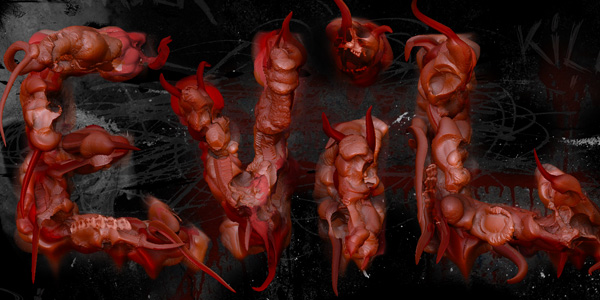
Today we have an amazing tutorial on how to create some very evil, bloody, gory text that even has snake horns and skulls in it. This tutorial includes a video, just in case you don’t understand how to do something or you just prefer to watch me do it. You will learn some exciting new techniques that you can use on your next dark design or Halloween poster. Before you start, make sure you download the ZBrush trial from Pixologic. This program is so much fun and extremely easy to use. We will use this program to create the text. Don’t be afraid that it is a trial. It is free and the features are fully enabled. Once you get done with this tutorial, ZBrush will be your new favorite tool. Let’s get started on creating the text!

Final Image Preview

Click here to check out the larger version. It looks a lot better.

Required Files

Video Version

This video tutorial covers everything in the text version below but as a neat video.

Text Version

Step 1

Open up ZBrush and click on Other (or press esc)

Step 2

On the menu, go to Document then choose Double.

Step 3

Since we enlarged the document size we need to see it all. Click on the Zoom Tool and Drag up to show the whole canvas.

Step 4

In the Tool panel. make sure your current brush is the Simple Brush Change the Focal Shift to -41 and the Draw Size to 37

Step 5

Make sure that the MatCap Red Wax material is the currently selected material

Step 6

Now on your canvas start drawing out your letters. Make them block style letters. Go over the letter multiple times to build depth. Try wiggling your mouse around in certain areas. Your first letter should look like something like this:

Step 7

Continue finishing your other letters. Try to keep the same look for all of your letters. Play around with adding more depth.

Step 8

Now hold down the ALT key and start brushing over parts of your letters. This will decrease the depth in the areas you paint. You want to create a bumpy look.

Step 9

In your Tool panel, click on the current brush (Simple Brush) to open the flyout of 2.5 Brushes. Select the SphereBrush

Step 10

Now go back over your letters with the SphereBrush. Make it look chunky and meaty. Once you are done adding spheres go back over them holding down the ALT key. Wiggle your mouse around in certain areas. Here is what it should look like:

Step 11

Now click on the  current Material to open the material flyout. Choose MatCap RedClay

Step 12

Go back over you letters just giving it a little some more depth and color.

Step 13

Now choose a brighter red in the color picker.

Step 14

Again, go back over your letters in the same exact line you did with the darker color. Play around with holding down the ALT key in certain areas.

Step15

Now go back to the Simple Brush. Dab some more color over you letters still with the brighter red color selected.

Step 16

There are some soft edges and we want our text to have a harder look. So select the EraserBrush from the brushes flyout.

Step 17

Just start erasing parts of your letters, mainly the ends. This is what your text should look like:

Step 18

Now go select the Depth Brush

Step 19

Go over mainly the middle of your text. Make sure you are building up depth by going over areas more than once. When your happy with it, click on the materials and choose the MatCap Red Wax and change the color to White.

Step 20

Go over your text again with this new material and build up the depth.

Step 21

Change the Z Intensity to 54 and change the Focal Shift to -23. Keep painting over your letters. In certain areas of your text, hold down the ALT key and paint back the depth.

Step 22

Now go back to your Brushes and choose the Bump brush. You will want to create little blobs around your text.

Step 23

Now choose a darker red in the color pallet and go add some more blobs using the Bump Brush. I can't stress it enough, play around with the ALT key to deform your text. After you have added some bumps, choose a lighter red color and add a dash of color into areas.

Step 24

Go to your brushes and select the Smudge Brush

Step 25

We are going to want to smudge the pixels. Drag down the letters of the text. Don't get too crazy. You can also change the Z Intensity to get a softer effect. Try creating some drips on the bottom of the text. This is what it should look like now:

Step 26

Go back to the Bump Brush, change the Focal Shift to -87 and the Draw Size to 5. Then change the color to a brighter red.

Step 27

Now paint in some single line veins into you text. Try to paint only a few lines per character.

Step 28

Then take the draw size down to 3 and paint in some veins off of your main veins you just painted. Try to change the color to a darker red to get a more realistic look.

Step 29

Choose the Deco Brush. Click on the Rainbow texture to show the texture flyout. Click on Texture 18.

Step 30

You can now click and drag to create a depth look. Paint them where you feel like the would look good.

Step 31

Now the fun part! We are going to create some evil horn like effect. Choose the Snakehook Brush.

Step 32

Just click, drag, and release. Move your mouse around in swirls and circles. I followed around the text and didnt get to crazy with this effect.

Step 33

Go back to your back to your Bump Brush and single click on areas of the snake hook to give them a bloated look. Play with the colors to get a different effect. At this point make sure you hold down the Alt key and go back over you bumps. This will make it have a broekn apperance.

Step 34

Thats it! Now we need to render it out. On the menu go to Render and then choose Best. You might have to wait a few minutes. Look at the orange bar go across your screen.

Step 35

After ZBrush is done rendering. We need to export a PSD. On the menu go to Document > Export. Save the file on your desktop so we can open it into Photoshop.

Step 36

Unfortunately ZBrush currently doesnt export an alpha channel with your PSD so we will have to create one. To save an alpha channel, on the menu choose Alpha then press the GrabDoc button. After it creates the alpha channel, choose Export and save it to your desktop. At this point we are done with ZBrush. You can save your document by going to Document > Save As.

Step 37

Open both of your PSD files you exported into Photoshop. Go to your Alpha PSD and create a Levels Adjustment Layer. By going to Layer > New Adjustment Layer > Levels. Drag the white slider to the left to make the gray areas start to go away and the most of the text turns white. For my settings, I had 0 - 1 - 14. Yours will most likley be different.

Step 38

Merge both of your layers by selecting both of the layers and pressing CTRL + E.

Step 39

Now Select All (CTRL+A), Copy (CTRL + C) and then go to your main Evil text PSD. Open your Channels Panel and click on the New Channel Button. Now Paste (CTRL+V) the alpha data into this new alpha channel.

Step 40

Click on the eyeball for the RGB Channel to show all the channels. Then click on the eyeball for the Alpha 1 channel to hide it. We need to create a selection for the alpha channel. You can do this by CTRL clicking on the alpha channel's thumbnail.

Step 41

Go back to your layers panel, and ALT double click on the background layer to unlock it. Choose the Rectangle Marquee Tool and Right Click anywhere inside the selection area and choose Layer via Cut This should have created another layer with just your text. If it doesnt look perfect your alpha channel probably wasnt perfect. Try adjusting the levels.

Step 42

Go to the old background layer and go to Edit > Fill. Change the contents to Use: Black. Click on OK. Name the black layer "Background".  Then name the text layer "Evil Text"

Step 43

Now lets tighten things up, click on the Lasso tool and make a selection around the letter V. Once you have made the selection, hold down the CTRL key and move the letter V closer to the letter E. Do this for the other letters.

Step 44

Go to Layer > New Adjustment Layer > Brightness/Contrast. Change the Brightness to 76 and the Contrast to -38.

Step 45

Go to Layer > New Adjustment Layer > Vibrance. Change the Vibrance to 23 and the Saturation to 16.

Step 46

Open the Skull 1 picture from StockVault.net. Copy and Paste it into your main PSD. Go to Edit > Free Transform. Scale the image down and place it in the dot of the letter I.

Step 47

Change the Skull 1 layer blending mode to Overlay. Then lower the Opacity to 84%.

Step 48

Double Click on this layer to bring up the Layer Styles. Click on Color Overlay and make sure it has a checkmark. Change the Blending Mode to Color. Then choose a Bright Red color. Name this layer "Skull over i" Tip: If the Skull doesnt look perfect, try scaling it down more, erase or mask out the areas that don't look good.

Step 49

Open up the Dirty Wall Texture from StockVault.net. Copy and Paste it into your main PSD. Put this texture below the Evil Text layer but above the background. Name it "Grunge Background".

Step 50

Go to Layer > New Adjustment Layer > Levels. Change the first input box to 150. Seond box = .52 and the third = 255.

Step 51

Change the layer "Grunge" blending mode to Luminosity. This will get us a nice grunge look.

Step 52

Open Skull 2 from stock vault.net. Copy and Paste it into your main PSD. Use Free Transform to place it in the Upper Left. Make sure the Skull is below your text. Name the layer "Main Skull" and change the Opacity to 38%. Finally, desaturate this Skull by pressing CTRL + SHIFT +U.

Step 53

Open the Media Militia resources you downloaded and open Scribbles.jpg. Copy and Paste it into your Main PSD. Change the Layer Blending mode to Screen. Then press CTRL + I to invert the layer. Now Change the layers Opacity to 14%. Place the scribbles layer below your evil text layer.

Step 54

Open the Dirty Wall texture from Stockvault.net again. Copy and Paste it into your main PSD. Change the layers blending mode to Lighten.Place it right below your evil text in the layer stack.

Step 55

Go to Layer > New Adjustment Layer > Brightness/Contrast. Change the Brightness to -150 and the Contrast to 100. With the Brightness/Contrast layer selected. Go to Layer > Create Clipping Mask. Tip: You can also hold down the ALT key and click inbetween the layers to create a clipping mask.

Step 56

Choose a soft brush and paint in black into the dirty wall bloody background. Using the Marquee select tool, select an area of the image as pictured below and Choose Image > Crop.

Step 57

Control click on the Layer Thumbnail of the Evil Text to make a selection of just the text. Press CTRL + Shift + I to invert the selection. Now fill the layer masks for both the Vibrance Layer and the Brightness/Contarst layers with Black. This should make your text appear to brighten up dramtically compared to a darker background.

Step 58

Click on the Blood Background layer and using a black brush, brush out unwanted areas. I didnt care for the purplish blue next to the E. I also brushed out some areas in the Grunge Background and Main Skull layer.I then dropped the Opacity down on the Blood background to 78%. This is what I ended up with.

Step 59

In the Media Militia resources, open up the Grunge.PNG and Copy and Paste it into your main PSD. Position it with the Free Transform (CTRL + T) to fill the whole area. Make sure that it is below the evil text layer.

Step 60

Finally open up the 3 evil text jpgs from the misc Media Militia resources into your main PSD . Set each Layer blending mode to Screen and the Opacity to 15%. Place them where ever you feel. That's it. Hope you enjoyed this tutorial. If you had any problems, please leave a comment and I will help you out.
http://www.pixologic.com/zbrush/trial/

3D Text Shatter Effect – Tutorial 89

By Arno Van Waeyenberg. Posted: August 14, 2009 at 4:10 pm in Cinema 4D, Photoshop, Tutorials
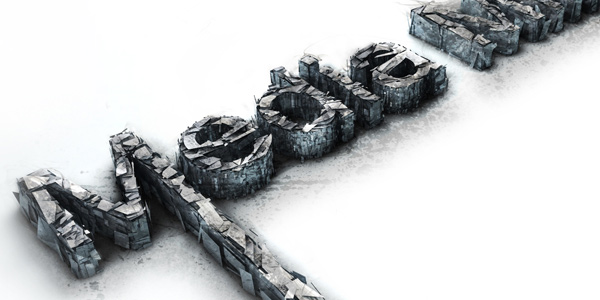
I'm going to show you how to make a 3D text shatter effect. This effect is made in two programs, Cinema 4D and Photoshop.If you haven't heard of Cinema 4D before it is a relatively easy to use 3d application, it is quite similar to 3dsMax or Maya. I will go pretty in depth with the Cinema 4D part, for all the inexperienced users, so bare with me if I go too slow. Now enough chit chat, let's jump in.

Required Resources

In this tutorial we will be using some resources you will want to download before starting:

Download

(Optional) Cinema 4d material

Final Image Preview

Step 1: Creating the basic text

Open up Cinema 4D and make a text object Write “Media Militia” in the text object Now rotate your text object: 90* on the X axis and -90* on the Y axis Create an Extrude NURBS object And drop your text in it Change the object properties of the Extrude NURBS to 0 / 0 / 35 Now take your ExtrudeNURBS object and hit “C” (this makes your object editable) Open this object and select everything (Ctrl+A) then right click your object and press “Connect” You can now delete your old object that you just “Connected” Rename your object “Media Militia” Take the polygon tool and the Rectangle Selection tool, make sure to un check the “only select visible elements” box Now with the scroll button of your mouse click on your “canvas” and you will see that four different views just opened up, we will be using the top view So middle click on the top view to make that view bigger, and select the first “M” letter of Media Militia right click on it and press “Split” This creates a new object with just the “M” now delete the selection you have selected, this will delete the “M” from Media which leaves you with an “M” object and a “edia Milita” object. Rename the object you just split to “M” Now go back to your “Media Militia” object and select and split the “t”, just as we did with the “M”. Delete the “t” from your Media Militia object and rename the “t” you just split to “t” Middle click on your screen and go back to perspective view. Take the Live Selection tool and on your “M” object select the shown polygon: Right click on your screen and select “Extrude” Add 350 to the offset Go into Top View and select your “t” object, press Ctrl+A (to select all the polygons) then take your Scale Tool and scale up the X axis (or the red axis) to 220 Go back to Perspective View and select the shown polygon with the Live Selection tool Right click on your screen and select Extrude and add 1000 m in the Offset Take your Use Model tool and the Live Selection tool Make a floor Go into Right View, select your three text objects and move them right on top of your floor Now make two copies of each text object, and place each copy underneath it's original, name each object as shown below Create a Shatter Object and copy it, name one shatter object “Shatter 1” and the other one “Shatter 2” Change the strength of the “Shatter 1” object to 20 %, and the strength of the “Shatter 2” object to 10% Select both Shatter objects and copy them twice, now place a Shatter object in each copied text object (match them up according to their number as shown) Now select all of your text objects ending with either a 1 or a 2 and take the Live Selection tool And move the “green axis” up 14.3 points, so that it is on top of the original text object Go into top view, take your Polygon tool and select all your text objects ending with “1” Make sure you have no polygons selected (left click anywhere on your canvas to de-select any polygons you might have selected) Right click on your canvas and select “Knife” (make sure the visible only is checked) Now start randomly cutting from one side of your text to another, do this around 30-60 times (this will make the shattered pieces smaller) Make sure you don't leave any long polygons like the extruded M and T uncut Keep cutting until you have something like this Now do the same for the text objects ending with “2” After that go into side view and start cutting up the text objects ending with 1 and 2 just as we did earlier (make sure to un check the “Visible Only” box) Now select all your “2” text objects and scale up the green axis using the scale tool Then move it down, so that the top of the letters are slightly on top of your original text Now take all the “1” text objects and scale them up as well Then as we did before move them down, so that the top is a little higher then the original text

Step 2: Adding Light and textures to our image

Make a basic light Make three copies of it, and name them 1, 2, 3, 4 accordingly Change the Intensity of the first three light objects to 45% and change the intensity of the 4th light to 70% Now select the 2nd 3rd and 4th light objects and change the shadow to “Shadow Maps (Soft)” Now go into top view and move each light as shown below Go into side view, select all your lights and move them up a bit as shown Now we are going to make the materials for our floor and for our text Start by making a new material Double click on the material (to open the material editor) and change the color to the following Now check the boxes for Luminance, Bump, Specular, and Displacement Change the settings to the settings shown in the screen shots below (In the bump and displacement options you will have to load in the metal texture image) Now close the material editor, and drop the material onto the floor This next part isn't necessary but it gives your text a nice touch, it does take longer to render though. We are going to load our downloaded material and place it on all of our text objects Go into the render settings, and change the Output to the following Then we are going to put on Global Illumination and Ambient Occlusion (just click the check box on the top, leave all the other settings on default) Before we render our scene we are going to set our perspective view on a nice angle, I put my picture on this angle Now hit the render button This can take quite a while, depending on how strong your computer is, but after that we are done with Cinema 4d and we will go play in photoshop :) Once it is finished rendering save it as a jpg format, and 300 dpi (dots per inch)

Step 3: Editing the picture in photoshop

Open your image in photoshop Double click your layer and name it “Base” Make a new layer under your base layer and fill it with white Now add a white mask to your “Base” and with a large soft black brush (bring the opacity of your brush down to 50%) start masking out the colored edges Now import your metal texture and resize it so that I covers the entire media militia text, desaturate the texture and change the blending mode to overlay. Take your eraser tool and delete any harsh exteriors Take your base layer and go to Image>Adjustment>Curves and change the settings to something like the following Now import your ink texture, rasterize it, and name it Ink. Make sure you place it underneath the metal texture Change the blending mode to multiply Add a mask to the layer and get rid of all the dark areas surrounding the actual ink Now duplicate this layer and hide the original, rotate and move your copy so that it is on top of the text, then with a very soft brush mask out the parts that stick out from the text. Then after that change the transparency to 5%-50% (change it around so that you get a random look) and with a small brush start brushing the edges of the ink that is on top of your text Duplicate your original ink texture and cover another part of the text and repeat the same process as with the other ink texture. Do this until all your text is covered with ink textures. Now select all your ink layers and add them to a group, name the group Ink. Change the opacity of your ink group to 40% Now make a new layer, name it Shadow, and with a black color and a soft, big brush add a line around the text as shown: Add a Gaussian Blur, 17 px, and bring down the opacity to 30 percent. Now delete any parts of the shadow that you don't like with a big soft brush And we are pretty much finished If you want to go even further you can take the dodge and burn tools and make some highlights on your Base layer I hope this tutorial was of some help :) Cheers!

Create an Awesome Grunge Poster in Photoshop (+Video) 23

By jeya. Posted: July 24, 2009 at 3:07 pm in Photoshop, Tutorials
In this tutorial we will walk through the process of creating a grunge poster. We will cover techniques like creating diamond shaped patterns, knocking out white backgrounds and keeping layer transparency. This tutorial includes a text version as well as a video version. Both cover the same techniques so take what you prefer and enjoy! Download

Final Image Preview

Video

This video tutorial covers everything in the text version below but as a neat video.

Step 1

Open up Photoshop and create a New Document. Make the size 2846 x 4267 at 300 ppi.

Step 2

Change the foreground color to a nice blue. For the color type in #4DC8F0 and click OK.

Step 3

On the toolbar select the Rectangle Marquee Tool. Now select about half of the document and fill it by pressing ALT + Backspace or use Edit > Fill.

Step 4

With the Rectangle Marquee Tool still selected, select the other half (the white area) and use the color #505050 to fill that area.

Step 5

Open the resource support files for this tutorial and open the Render.png file in Photoshop. Edit > Copy and Edit > Paste this file into your main document.

Step 6

Double click on this Render layer. This will bring up the Layer Styles window. Click on the checkmark for Color Overlay. In the Color Overlay options click on the color picker and type in the color #F1496D

Step 7

Now we are going to make our own pattern. Create a new document and make the size 400 x 350 at 300 ppi.

Step 8

Click and hold on the Lasso Tool to bring up the Polygonal Lasso Tool.

Step 9

Now make a cool looking shape. Try holding down SHIFT while using the Polygonal Lasso Tool to create perfect straight lines. When your done with your shape make sure you connect it at the end. It will show an O next to the Polygonal Lasso Tool icon.

Step 10

Now create a new layer. Press D on your keyboard to reset your colors to the default White and Black. Now fill your shape with black. You can do this by pressing ALT + Backspace.

Step 11

Duplicate this layer and then press CTRL+T to bring up the transform box. Now right click on the transform box and choose flip horizontal. Using the Move Tool, move it to the right until it looks good.

Step 12

Choose Image > Trim. Then make sure Based On is set to Transparent Pixels, and all of the Trim Away checkboxes are checked. Click OK.

Step 13

Go to Edit > Define Pattern. Name the it Pattern One and click on OK.

Step 14

Now go back to your main document and create a new layer. Don't close this new pattern document, we will use it later. Name this layer Pattern One. Choose Edit > Fill. In the Use drop down box, click on Pattern. Then click on the Custom Pattern drop down arrow to select the Pattern we just created. It will be the last in your list. Then click OK.

Step 15

Double Click on the Pattern One layer. This will bring up the Layer Styles dialog. Click on the checkmark for Color Overlay. In the Color Overlay options click on the color picker and type in the color #505050

Step 16

Take the Rectangle Marquee Tool and make a selection around the inside of the pattern. Right click on the selection and choose Layer via Cut. This will create a new layer with only that selection.

Step 17

Now shrink the pattern down. Press CTRL + T to transform and drag the bounding box down to make it 25% smaller.

Step 18

Create a New Layer and choose Edit > Fill and use the same pattern to fill it.

Step 19

Double Click on this layer to bring up the Layer Styles dialog. Click on the checkmark for Color Overlay. In the Color Overlay options click on the color picker and type in the color #4DC8F0

Step 20

Press CTRL + T to transform and rotate it -30 degrees. Move it down as pictured below.

Step 21

Now go back to the pattern document. Go to Image > Canvas Size and increase the size by 100 pixels on the height and the width. This will add some padding to the pattern. Click OK.

Step 22

Now that you have the padding, go back to Image > Canvas Size. Increase the width and height by 200 Percent. Change the Anchor position to top left. Click OK.

Step 23

Duplicate the pattern layer and move it to the bottom right. Make sure it has about the same padding as the top left pattern.

Step 24

Now make a smaller pattern. Go to Image > Image Size and make the width 104 pixels. and click OK

Step 25

Go to Edit > Define Pattern and name your pattern Pattern - Small - Diagonal. Click OK

Step 26

Go back to the main document and create a new layer. Then go to Edit > Fill and select Pattern from the Use drop down box. Choose the last pattern we created in the Custom Pattern drop down. Click OK.

Step 27

We want the pattern white, the easiest way to accomplish this is to Invert it. Press CTRL + I to invert.

Step 25

Press CTRL + T and rotate this layer -30 degrees.

Step 28

Make sure the layer is selected and click on the Add Layer Mask button at the bottom of the Layer panel. Now click on the Gradient Tool and make sure the gradient is a black to white gradient.

Step 29

Drag the Gradient Tool to create a mask. This will fade out the pattern. You will have to experiment.

Step 30

Open Eat_This_And_Die_Vectors.eps from the Resource Support Files inside of Illustrator. Using the Select Tool, select the circles and drag them into your Photoshop document. Note: If you don't have Illustrator, you can open it inside of Photoshop and then manually copy and paste it in. Secondly, if you don't have Illustrator, you should get it! :)

Step 31

Press CTRL + T and increase the size. Then move it into place. Press the checkmark on the top or hit Enter.

Step 32

Name this layer Circles. Double Click on this layer to bring up the Layer Styles dialog. Click on the checkmark for Color Overlay. In the Color Overlay options click on the color picker and type in the color #4DC8F0

Step 33

With the Rectangle Marquee Tool, Select an are in the bottom right of the document. We will be adding some text there.

Step 34

Fill that rectangle black and lower the opacity to 15%.

Step 35

Using the Type Tool, type in some text over the box. I typed in MAKE ART.

Step 36

Open the Brushstrokes.jpg image from the resources folder into Photoshop. Press CTRL+A to select all and then press CTRL+C to copy layer. Now open the Channels panel and click on Create New Channel button.

Step 37

Press CTRL+V to paste the data into this Alpha Channel. Press CTRL + I to invert the alpha layer. Now CTRL Click on the Channel thumbnail to create a selection. Copy and Paste this into your main Photoshop document.

Step 38

Make sure the border layer is on the very top of the layer stack.

Step 39

Double click on the layer to bring up the Layer Style dialog. Check Color Overlay box and change the color to #505050.

Step 40

CTRL Click the layers thumbnail to create a selection and fill this selection with black a couple times to make it darker. Name this Layer Border One.

Step 41

Duplicate the Border One layer and press CTRL + T and scale in the right side to fill the screen. Name this layer Border Two. Created a mask on Pattern Two and masked out a few areas so it doesn't look so boxy.

Step 42

Set the Opacity for Pattern Two to 37%

Step 43

From the resources folder, open the Eat_This_And_Die_Vectors.eps. Select and drag the arrows into the Photoshop document.

Step 44

Name the layer Main Arrows and scale it up a bit and place them in the center. Move the Main Arrows layer to the top, below the Border and set the Layer Mode to Saturation.

Step 45

Copy and paste the Flare.jpg into your document and center it. Name this layer Flare and set the Layer Mode to Screen.

Step 46

Copy and paste the Clouds.jpg into your document and put them into the bottom left as pictured below.

Step 47

Set the Layer Mode for the Clouds to Luminosity at 27% opacity. Now create a Layer Mask for the clouds

Step 48

With a soft brush, start masking the edges of the clouds so they blend in with the other layers.

Step 49

Copy and paste Stained_Paper.jpg into the main document. Set the Layer Mode to Multiply.Make sure it is at the top of the layer stack.

Step 50

Double click on the Make text layer and set the Color Overlay to a turquoise color. I used #40968d

Step 51

Right click on the layer and choose Copy Layer Style. Then right click on the ART text layer and choose Paste Layer Style.

Step 52

Now for the main text we are going to use HelveticaNeue LT 63 Medium Extended. Type out the words EAT.

Step 53

Move the EAT layer above the the borders and set the Layer Mode to Overlay.

Step 54

Type out the rest of the text and use CTRL+T to rotate and flip the text to your liking.

Step 55

Open Drips_and_Spray_Paint_V1_1006.jpg. Select all using CTRL+A and CTRL+C to copy.

Step 56

Create a new channel in the Layers Panel and Invert the layer (CTRL+I). Now CTRL Click the channels thumbnail and copy the selection.

Step 57

Paste it into your main Photoshop document and scale it down. Put it over the DIE text layer.

Step 58

Set the Layer Mode of the spray paint to Overlay.

Step 59

Duplicate the Main Arrows layer and move/rotate into the top left hand side.

Step 60

Double click on the layer to open the Layer Style and choose Color Overlay. Choose a nice dark brown color.

Step 61

With the Main Arrows Copy layer still selected CTRL + Click on the Border One layer thumbnail. Then click on Add Layer Mask. \

Step 62

Open Oriental.JPG and copy and paste it into your document.

Step 63

Go to Edit > Define Pattern and name your pattern Pattern - Small - Diagonal. Click OK and set the Layer Mode to Linear Dodge (Add). Set the opacity to 54%. Make sure the layer is just above the Clouds layer.

Step 64

Copy and paste This_Guy.JPG into your document just above the oriental.jpg. Set the Layer Mode to Soft Light.

Step 65

Change the Main Arrows Copy to a dark gray or black color using Color Overlay.

Step 66

Create a new layer called Gradient Top. Make sure it is at the top of the layer stack and choose the Gradient Tool.

Step 67

In the options bar click on the down arrow and choose the Violet, Green, Orange gradient. Also make sure the Linear Gradient button is selected.

Step 68

Drag the Gradient Tool from the top left to the bottom right. Experiment with this.

Step 69

Now set the Gradient Top Layer to Color Dodge at 69% opacity.

Step 70

Create a Layer Mask for the Gradient Top layer. Click on the Gradient Tool and choose the black to white gradient. Make sure to select the Radial Gradient.

Step 71

Play around with masking out areas while focusing attention to the type layers. Change the Opacity to 62%.

Step 72

Finally, create a layer called Shadows on the very top of the layer stack and choose a nice soft brush at 1100 pixels.

Step 73

Paint in all four of the corners. Drop down the opacity if your think it is too much.

Step 74

You final design should look similar to this. In this tutorial we used elements from our Arrows, Brushstrokes and Drips and Spray Paint pack. Check them out and create something awesome!

How to Create Flat 3D in Photoshop 23

By jeya. Posted: July 10, 2009 at 7:19 am in Photoshop, Tutorials
In this tutorial you will learn how to create some Flat 3D using only Photoshops Brushtool. In the past I used to use just an action to duplicate and move but this way is much more easier and give you more flexibility. Download

Step 1

Open up Photoshop and create a New Document. I created a document that is 1280 x 720 at 300 ppi and named it style. 1

Step 2

Let's change the background color to a nice mild blue. On the menu bar choose Edit > Fill. In the dialog box change the Use dropdown to Color... Choose #d0e4ed

Step 3

Create a New Layer (Layer > New > Layer) and name it Original Text

Step 4

Choose the Horizontal Type Tool (T) and type in the text 'style'. I used Helvetica Neue LT at 27pt. If you don't have that font, use something like Arial. Make sure the color of the text is black (#000000)

Step 5

We are now going to create a brush out of this text. Choose Select > Load Selection. Make sure the Channel is set to Original Text Transparency and click OK. This will make a marquee around your text. Note: Your document name might be different.

Step 6

Now go to Edit > Define Brush Preset and click on OK

Step 7

Create a New Layer and name it Stroke. Deselect everything by going to Select > Deselect. Choose the Brush Tool (B) and in the Brush Options toolbar click on the drop down triangle and find the brush you just created and select it.

Step 8

Open the Brushes Panel (F5 or Window > Brushes). Click on Brush Tip Shape options. Change the Spacing to 1%.

Step 9

Now for the fun part! Change the Foreground Color to a nice eye popping pink - #fd2f84 by double clicking on the foreground color in the toolbar. Make sure you are still on the Stroke layer and with the brush held down make a nice swoop like stroke.

Step 10

Inside of the Layers (F7) Panel, drag the Original Text layer above the Stroke layer Then using the Move tool (V), move it over the swoop you just made. .

Step 11

Double click on the Stroke layer in the layers panel. Click on the Stroke checkbox and set it to have a 7 px Size Stroke of White.

Step 12

Using the Brush tool is fun and all, but sometimes you might want a cleaner look. We can accomplish this by using the Pen tool. Click on the Pen (P) tool and draw a line or curve. Something like this:

Step 13

Change the Foreground Color to Black (#000000). Create a New Layer and name it Stroke 2. Open the Paths panel (Window > Paths) and click on the Work Path you just created with the pen tool. Now click back on the brush tool. Click on the Stroke path with brush button at the bottom of the Paths Panel. You should now have a black 3D style. See how that looks a lot cleaner? Note: You can delete the Work Path to get rid of the Pen line.

Step 14

Now Duplicate the Original Text layer by selecting the layer and going to Layer > Duplicate Layer. Click on the Horizontal Type Tool and change the color of the text to the pink color (#fd2f84) in the Type Options Toolbar. Move it into position above the Stroke 2 layer.

Step 15

Now Right Click on the Stroke layer and choose Copy Layer Style. Then Right Click on the Stroke 2 layer and choose Paste Layer Style. This will create the stroke so that it is exactly how the other one was.

Step 16

Let's create some more! Using the same techniques as above, create some more stokes and text layers. Try experimenting with the size of the brush as well as moving around the elements and layer stacking. I decided to crop mine a little bit. Here is what I came up with:

Step 17

We are going to add a lot of style text behind everything. Create a New Layer and name it Lots of Styles. Make sure this layer is just above the background layer in the layer stack. Open up the Brushes Panel and in the Brush Tip Shape options, change the Spacing to 416%. Check the Shape Dynamics option, and change the Size Jitter to 100%, Minimum Diameter to 9%, and the Angle Jitter to 55%

Step 18

Now choose a slighly darker blue Foreground Color I used #6dbbde. With the Brush tool selected, hold down the mouse, move around and it will randomly place the text everywhere on your document.

Step 19

Choose the Gradient Tool (G) and select Linear Gradient. Open the Gradient Editor by clicking on the gradient. I choose the colors #6dbbde and #d0e4ed. Click OK. With the gradient tool setill selected, select the Background layer and drag from left to right across your project to create the very nice subtle gradient.

Step 20

Open up the lines.eps from the Support files and copy and paste the lines into the right hand side of the document. You might need to Transform and Rotate it so it fills the whole area. Make sure the layer is just above the Background gradient layer. Change the Opacity of this layer to 71%. Now change the Layer Blending mode to Overlay.

Step 21

Open spraypaint.png and place this layer into your project. Double click on the spraypaint layer to bring up the Layer Styles. Choose the Color Overlay option and change the color to the same pink color (#fd2f84). Position the layer so it looks good. You might need to transform it a little.

Step 22

Open star.eps and create a brush using the same settings like we did in Step 17. Change the Foreground color to white and brush some stars into your document. That's it we are all done!

3D Graffiti Piece 20

By jeya. Posted: June 26, 2009 at 3:51 pm in Cinema 4D, Photoshop, Tutorials
In this tutorial you will learn how to use Cinema 4D and Photoshop CS4 to make some graffiti letters. We will extrude the letters and tweak them out. After the baseline render is done we will import it into Photoshop and add some outer strokes and grime.

Download

Step 1

To create a cool 3D Graffiti render, we are going to start inside of Cinema 4D. Open Cinema 4D and click on Objects > Create Spline > Bezier. Then switch to the top view port by chossing Cameras > Front

Note: We used version 10. Your version might differ but you should be able to do that same thing...

Step 2

Start off by drawing letters that resemble a graffiti piece. You can get some inspiration from the following sites: Art crimes or asddas. You will want to keep the whole bezier segment together and closed by doing one letter at a time. In my example I created the letter J.

Step 3

At This step, to see what it will look like in 3D, go to Objects > Nurbs > Extrude Nurbs. Make spline a child of Extrude Nurbs by dragging spline on to Extrude Nurbs until a down arrow appears.

Step 4

At this point switch to perspective view (Cameras > Perspective) to get a better view of the final piece. Click on Extrude Nurbs and change the Object Properties - Movement to the following -19m, 0m, 73m. Then use the buttons in the top right of the viewport to move around till you are satisfied with the look.

Step 5

Switch back to the Front View. Continue the process of making letters and adding an Extrude Nurbs object to them. Remember to keep switching to Perspective to see how it is turning out. Once you complete the other letters you should have something similar to the image below: Tip #1) If you need to knock a hole out of your letter (i.e. a lower case "e") select both the spines and choose Function Combine.

Step 6

Now it's time to make it a little bit more funky. Add some bend modifiers and make them children of the Spline letters. Use the object properties to bend them the way you like. I didn't add it to every letter just some. I also used the move and rotate tool to add some more depth to the letters.

Step 7

In the Materials area, choose File > New Materiall (or double click in the blank area). Reference the below images for the settings:

Step 8

Now you need to add the material you just created to each letter.

Step 9

To get some really cool effects, select all your letters and then right click on one of them and choose Group Objects. Add a Twist Deformation to all the layers Objects > Deformation > Twist). I added a light to the scene as well to make it have more of a glow. Make sure your stack looks somewhat like the image below with the correct children and parent setup.

Step 10

Now we can export the render. On the main menu go to Render > Render Settings. Click on Save and change the settings to the following:

Step 11

Make sure your camera is on perspective view and it looks the way you like it. Once it is, choose Render > Render to Picture Viewer. Then choose File > Save Picture As. Verify the settings and choose OK.

Step 12

Open you exported render into Photoshop. On the menu bar choose Select > Load Selection. Verify the Alpha 1 Channel is selected and click OK.

Step 13

Create a new layer for you selection by going to Layer > New > Layer Via Cut. Name this new layer "Graffiti Render". Double click on the layer, Graffiti Render and make a stroke of 8px - White. Finally, fill the Background layer Black.

Step 14

We are going to use the Pen tool to make every letter pop with a stroke. Grab the pen tool with the Paths option selected. Trace the first letter. Then create a new layer and on the paths pallett choose Load Path as Selection. Then go to Edit > Stroke. Choose a 3px Width with the color set to black. Location should be set to outside. Then click on OK.

Step 15

Repeat Step 14 for your other letters. Each on a separate layer. Erase the parts of the stroke that you don't like. You should now have something like this:

Step 16

Now to add some color to this piece. Create a new layer called color. Then CTRL (CMD) click on the Graffiti Render and click on the Add Layer Mask Icon on the bottom of the layers pallet. This will restrain our coloring to only the Graffiti Render. Change the Layer Blending Options to Overlay, I choose a really soft brush and painted on different colors that I wanted it to look like.

Step 17

Create a layer called "Bling" and set the layer blending to "Overlay". Grab the line tool and set it to Fill Pixels -10px. Then create lines at different areas or your letters. Do it on about 50% of the layers or to your liking.

Step 13

Open the Water Color Image from the Water Colors Pack and scale it down to fit your document. Change the Layer Blending Mode to Screen. Then De saturate that Layer by Pressing CTRL + Shift + U.

Step 13

Now Open up the Levels and drag the left slider over You should end up with something like this:

Step 13

Open up this image from our Spray Paint and Drips Pack. Change the Layer Blending to Screen. Inverse the layer by going to Image > Adjustments > Invert. Put this layer right above the Background layer in the layers pallet by dragging it downwards.

Step 13

Move the layers around to your liking. I duplicated the layer again (Layer > Duplicate) and moved it around.

Step 13

I added some misc. images from our packs. Stencils, Hand Drawings, and Spray Paint are great for this. As always, you can download this PSD file for free. Hope you enjoyed this tutorial.....

Create a 3D Abstract Project in Photoshop 8

By jeya. Posted: June 12, 2009 at 12:29 pm in 3ds Max, Photoshop, Tutorials
In this tutorial you will learn how to render an abstract 3D model from 3DSMax and then make it pop in Photoshop. Adobe Photoshop CS4 and 3DS Max version 9.0 are used in this tutorial but you can use other versions if you have not upgraded.

Download

Step 1

Open up 3DSMAX 9.0. You can use other 3D programs, however, it will be a lot easier to follow this tutorial using the program we are using... If you would like to skip over all the 3D stuff you can download the 3D file here and go to Step 10. Start out by creating a Torus Knot by going to Create > Extended Primitives > Torus. Click and drag in the front view. Change the parameters in the panel to the following:

Step 2

Now add a Noise modifier to the Torus Knot by going to Modifiers > Parametric Deformers > Noise. Change the parameters of Noise to the settings in the image below:

Step 3

In the Perspective viewport change the positioning to how you like it. Use the following image for reference:

Step 4

Now lets make the material. Open up the Material Editor by pressing M on the keyboard or Render > Material Editor. Then click on button labeled Standard and choose Architectural. Change the material to the following:

Step 5

Create a camera by going to Create > Cameras > Create camera from view (or CTRL+C). Change the parameters of the camera to your liking. I choose to have a distorted look by changing the lens to a lower focal length 3.662mm. You can change your settings to reflect mine. If your camera look isnt distored the way you like, you will need to push the camera closer to your object. This will change the look dramatically. Move the camera in the top view watching it in the Camera01 view port.

Step 5

Go to Rendering > Render Setup (or press F10) Change the Width and Height to 3000 x 2000. Then press Render. After it is done rendering, press the save button and save the file as a TIF image (.tif) with an alpha channel. Now render out some other views to use later.

Step 6

Now time to jump into Photoshop. Open your your first render and name it Render. Add a new layer and name it Render-Color. With the Brush tool pick some colors out and start to paint along the lines of the render. Experiment with changing the flow,opacity and size of the brush. This is what it should look like so far:

Step 7

Now go to Blur > Gaussian Blur. Change the amount to 198 Pixels and click OK. Change the Layer Style of the Color-Render layer to Overlay.

Step 8

Spice it up time! Create a new layer and name it Lines. Change the foreground color to white. Click on the Line tool. You might have to click and hold on the shapes tools to bring up the pop out window. Finally, change the Line options toolbar to Fill Pixels.

Step 9

Drag the lines tool on the canvas in places that your render ends or needs a little spicing up.

Step 10

To make the lines not look so abrupt. go to Filter > Blur > Gaussian Blur. Change the blur level to 13.0 Pixels and click OK. Change the layer style to overlay.

Step 11

Download the font Oktober by Alen Stojanac from DAFont Type the words escape2012 and put the text layer in the upper left. Set the layer style to overlay.

Step 12

Create a new layer called fairy dust. Open the brushes pallet (Windows > Brushes). Choose a soft 100 pixel brush. Click on Brush tip shape and change the Spacing to 200%. Cick on Shape Dynamics and Scattering. Follow the settings below:

Step 13

Using a white brush, start to randomly paint outwards. Change the layer style to Overlay. Make sure your flow and opacity are set to 100%

.

Step 14

Open the Lineart Illustrator files that where included in the zip file. Place them anywhere you think fit. Experiment with the layer styles and Effects. Here is the final version:

Going Beyond Extended 3D 7

By jeya. Posted: May 29, 2009 at 1:23 am in Photoshop, Tutorials
This is a great tutorial to get you into the 3D feature of Photoshop CS4. Download the support files and get to it! This tutorial includes elements from the Drips and Spray Paint Pack, Watercolors Pack and Arrows Pack. Download

Step 1

Since we are going to be using the new 3D feature inside Photoshop CS4, you must have CS4 installed. If you do not have it you can download the 30 day trial at Adobe.com. Open up Photoshop CS4 Extended and create a new project with the following settings.

Step 2

We are going to use a render that we previously created in our tutorial 3D Abstract. Check out that tutorial if you would like to learn how to create a render from scratch. In Photoshop CS4 in the File menu go to 3D > New Layer from 3D file. Open the file FinalRender.3DS from the support files for this tutorial. It should look something like this:

Step 3

Now go to 3D > Render Settings. In the preset drop down choose Line Illustration. Set the Crease Threshold to 100 with a Line Width of 1. Click OK. The render should now be mostly black with some line separation.

Step 4

Click on the 3D Rotate Tool and drag the render around until you get the style that you like. .

Step 5

Duplicate your render by going to Layer > Duplicate Layer. Name this Layer Render - Faded. (Make sure this duplicated layer is underneath your orgiignal Render Layer) Set the Opacity of the layer down to 36%. Now using the 3D Rotate Tool move around the duplicated layer to your taste. You can also play around with the other 3D positioning tools.

Step 6

Create a new layer underneath your two Renders. Choose the Gradient tool and fill the layer with a Black to White Linear Gradient. Name this Layer Main Background and drop the Opacity down to 24%.

Step 7

Double click on your Main Render layer to open the Layer Styles. Check the Stroke to enable it and add a 13px white stroke with positioning set to outside.

Step 8

Open up Arrows01.ai and copy and paste it into your image (Make sure it is big enough to fit in your image) Paste it as Pixels. Invert the layer by pressing CTRL+I or going to Image > Adjustments > Invert. Add some text to your layer. Then move it and rotate it into place. You should have something that looks like this:

Step 9

Open Drips&SprayPaint_1044.jpg. This image is taken from our Drips and Spray paint Pack. Copy and paste the spray paint image into your image.. Place the spray paint layer underneath your main Render layer. Set the Opacity to Linear Burn.

Step 10

Open up WaterColorsV1_1019.jpg and copy and paste it into your Photoshop project. Put this layer above all the other layers and set the Layer Style to Exclusion. Now on the Adjustments panel click on the Hue and Saturation button to create a new Hue/Saturation adjustment layer. Make sure you check the Colorize checkbox and follow the settings below:

Step 11

For the final step I added some color to the render. This is the final result. Hope you enjoyed the tutorial!